
Windows 10 end of life arrived on 14 October 2025, and since that date Microsoft has issued no free security updates, bug fixes or technical support for it. The machines kept working. That is the problem, because nothing visibly broke and nothing forced a decision.
For Irish SMEs the live question now is what the delay costs. Microsoft sells Extended Security Updates (ESU) as a paid bridge, priced per device per year, and the first year of that bridge closes on 13 October 2026. After that the entry price roughly triples for anyone who has not already enrolled.
Below is what actually changed, what each remaining option costs, and how to work out which machines need replacing rather than patching.
What Windows 10 End of Life Changed for Business PCs
End of support stopped the free monthly security updates, quality fixes and Microsoft technical support for every Windows 10 edition. No device was switched off or deactivated.
The gap opens slowly, which is what makes it easy to leave alone. Every Patch Tuesday since October 2025 has closed vulnerabilities in supported versions of Windows and left the same flaws open on unenrolled Windows 10 machines. Microsoft's lifecycle documentation for Extended Security Updates sets out exactly which products still qualify for paid patches and until when.
Here is what stopped and what carries on.
- Stopped in October 2025. Free security updates, quality and reliability fixes, feature updates, and Microsoft technical support for Windows 10.
- Ended in August 2026. Feature updates for Microsoft 365 Apps running on Windows 10, so those apps are now frozen in capability.
- Continues to October 2028. Security updates for Microsoft 365 Apps on Windows 10, plus Microsoft Defender security intelligence updates.
- Available at a price. Critical and Important Windows security updates through the ESU programme, bought per device, per year.
Why 13 October 2026 Matters More Than the Original End of Support Date

13 October 2026 closes year one of the commercial ESU programme, and the cost of entry jumps the moment it passes. ESU licences are cumulative and cannot be bought in part years.
A business that enrols in year two does not simply pay the year two rate. It pays year one retroactively as well, before a single patch arrives. Microsoft lists these prices in US dollars, and Irish partners bill the euro equivalent at their own rates.
- Year 1, ends 13 October 2026. $61 per device, or around $45 for devices managed through Intune or Windows Autopatch.
- Year 2, ends 12 October 2027. $122 per device, with year one required alongside it, so $183 per device minimum.
- Year 3, ends 10 October 2028. $244 per device on top of both earlier years, so $427 per device across the full run.
On a 40-device office, enrolling now costs roughly $2,440 for a year of cover. Waiting until after 13 October pushes the same decision to about $7,320. Nothing about the machines changes in between.
Licences are ordered per device through volume licensing or a CSP partner, so in most SMEs whoever handles your managed IT services buys the keys and deploys them before cover lapses.
Why the Free Windows 10 Extension Does Not Cover Work Computers
The free consumer extension applies to personal devices only. Microsoft's consumer ESU programme now runs to 12 October 2027 for eligible Home and Pro machines, but devices joined to Active Directory or Microsoft Entra, or managed through MDM, are excluded from it.
This one catches people out, because staff read about a free extension and assume the company is covered.
- Consumer route. Free through Windows Backup settings sync, 1,000 Microsoft Rewards points, or a one-off $30 payment, covering up to 10 devices on a single Microsoft account. Personal devices in the EEA were given the free option without the backup condition.
- Commercial route. Required for Windows 10 Enterprise, Education and Pro in commercial use, purchased per device per year through volume licensing or a partner.
- The grey area. A Pro laptop used for work but never joined to a domain may enrol as a consumer device, which ties your patching to an employee's personal Microsoft account rather than to anything the business controls.
If a device holds company data, it belongs on the commercial side of that line.
What Unsupported Windows 10 Means for Security, Insurance and Compliance
Running unpatched Windows 10 weakens the technical measures you are obliged to maintain under Article 32 of the GDPR, which requires security appropriate to the risk. Irish enforcement has already landed on this point. The Data Protection Commission has treated inadequate measures for keeping systems updated as part of an Article 32 infringement in its published enforcement decisions, alongside weaknesses like missing multi-factor authentication.
Three practical consequences tend to arrive before any regulator does.
- Cyber insurance renewals. Proposal forms commonly ask whether unsupported operating systems are in use. An inaccurate answer there is a bad position to be in at claim time.
- Software vendor support. Practice management, accounting and line-of-business vendors drop support for unsupported operating systems, so a bug on Windows 10 quietly becomes your problem rather than theirs.
- Customer due diligence. Larger clients and public sector buyers ask about patch status in supplier questionnaires, and "still on Windows 10" is an awkward answer to give in writing.
Patch status sits alongside firewalls and endpoint protection in any serious review of network security, and it is usually the first thing an assessor checks, because it is the easiest thing to verify.
Which Windows 10 PCs Can Upgrade to Windows 11 for Free
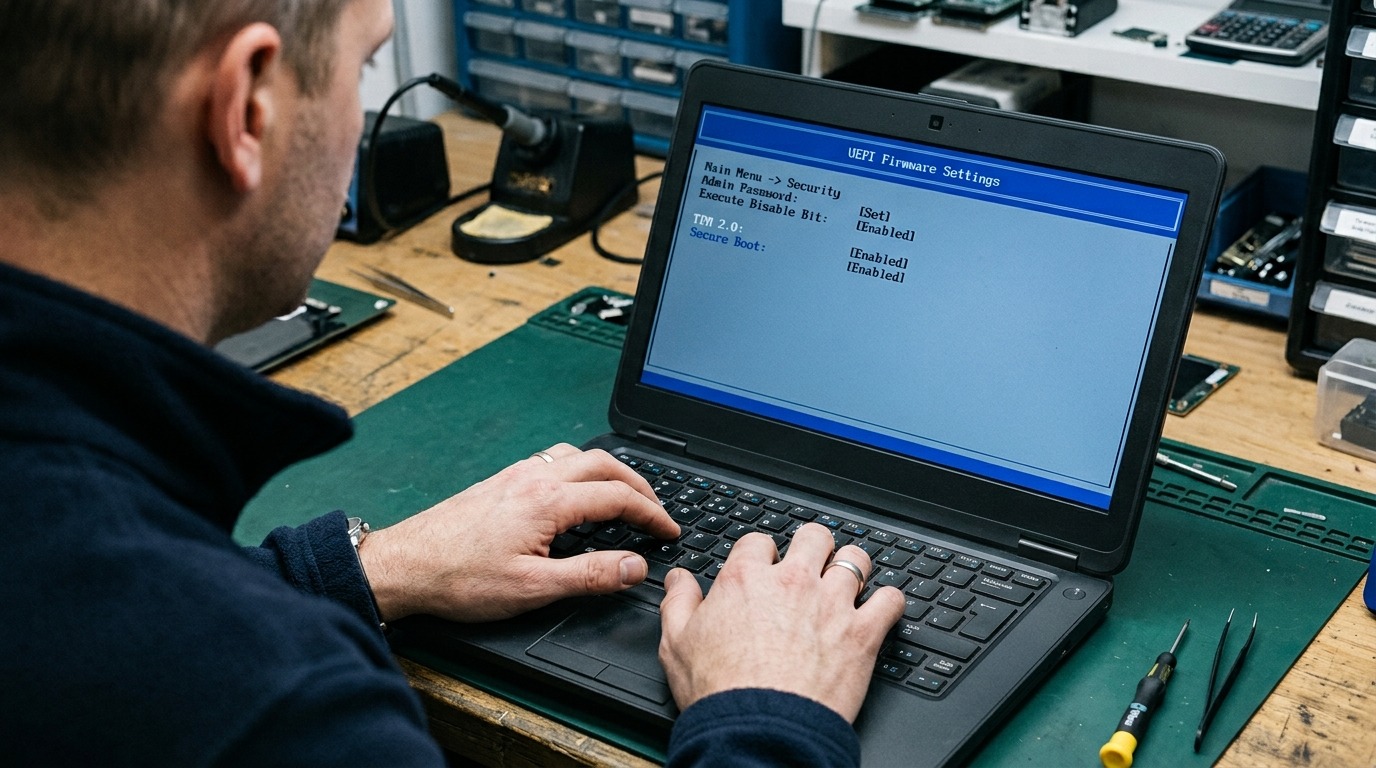
Any Windows 10 machine that meets the Windows 11 hardware requirements can upgrade at no licence cost. The usual blockers are firmware and processor generation.
- TPM 2.0. Often present but switched off in firmware, so a machine that fails the readiness check may only need a setting enabled.
- UEFI with Secure Boot. Machines still running in legacy BIOS mode need converting before the upgrade will proceed.
- A supported 64-bit processor. Broadly Intel 8th generation or AMD Ryzen 2000 and newer. This is where genuinely old hardware falls out.
- 4 GB RAM and 64 GB storage. Floor requirements. In practice, plan around 8 GB and an SSD for anything you expect to keep for three more years.
Check the whole fleet in one pass rather than device by device. Most SME offices split cleanly into a large group that upgrades in place and a small group of older machines that will not move at all.
How to Decide Between Upgrading, Replacing and Buying ESU
Sort the fleet into three groups and price each one separately. Machines that pass the readiness check get upgraded, ageing machines that fail get replaced, and ESU is reserved for what genuinely cannot move yet.
- Upgrade in place. No licence cost, and the work is mostly scheduling, testing your line-of-business software and handling the odd driver. This should cover the bulk of anything bought since 2018.
- Replace. On a machine already four or five years old, a year of ESU pays for patches and leaves you with the same tired device at the end of it. Replacement usually gets planned with the wider IT procurement cycle rather than one laptop at a time.
- Buy ESU. Worth it where a device is pinned to Windows 10 by a specific application, instrument software, or a validated configuration you cannot change quickly.
- Move the workload. Windows 365 Cloud PCs include ESU for the devices accessing them, which can suit a handful of stranded users better than buying licences for each one.
The mistake is treating ESU as a plan. It is a rental on time, and the rent doubles every year.
What to Do Before the Year One Deadline Closes
Work through the fleet in this order, because each step narrows the number of devices you have to spend money on.
- Inventory every device. Include the machines nobody thinks about, such as reception PCs, meeting room systems, till machines and the laptop in the store room.
- Run the Windows 11 readiness check across all of them. Separate the hard failures from the machines that only need TPM or Secure Boot enabled in firmware.
- Test the awkward software first. The application that pins a device to Windows 10 is usually the deciding factor, so confirm it before budgeting anything.
- Price the three groups. Upgrade, replace, and ESU, side by side, over three years rather than one.
- Order ESU licences for whatever is left before 13 October 2026. After that date the same cover costs three times as much per device.
Windows 10 never stopped working, which is exactly why it is still sitting on desks in Irish offices nearly a year after support ended. The cost of leaving it there rises on 13 October 2026 and rises again every year after that.
If you are unsure how many of your machines can move and what the remainder will cost, book a free IT audit and get the device-by-device position in writing while year one pricing is still open.
Get an IT Plan Today!