The 3-2-1 backup rule means keeping three copies of your data, on two different types of storage, with one copy held off-site. Get it right and no single event, whether that's a failed drive, a burst pipe in the comms room or a ransomware attack, can reach every copy at once.
The idea is rarely the problem. Execution is. A 30-person firm whose files sync to OneDrive and whose server images to a NAS in the same building usually believes it's covered. In reality that's one live copy and one backup, in one room, behind one set of credentials.
What follows breaks each number down the way it applies to a small Irish business, shows where Microsoft 365 actually sits, and gives you a way to tell whether your current setup would have you trading again on Monday morning.
What Is the 3-2-1 Backup Rule?
The 3-2-1 backup rule is a data protection baseline that calls for three copies of your data, held on two different types of media, with one of those copies stored off-site. Its whole purpose is separation, so that no single failure, location or account can destroy every copy you own.
Photographer Peter Krogh described the approach in his 2005 book on digital asset management, and it stuck because it's easy to remember and technology-agnostic.
The numbers translate as follows.
- Three copies. Your live production data plus two independent backups.
- Two media types. Two genuinely different storage technologies, so one fault cannot claim both.
- One off-site copy. At least one copy outside the building, reachable after a fire, flood or theft.
Two decades on, the rule still holds because the failure it guards against, a single point of failure, is still the most common reason a recovery falls apart.
Why One Backup Copy Is Not Enough to Protect Business Data
One backup gives you one chance. If the event that takes out your live data also reaches that copy, the recovery is over before it starts, and for small businesses that happens more often than most owners expect.
Common ways a lone backup lets you down:
- The backup job quietly stops running and nobody notices for weeks.
- The backup file is corrupt, and you only find out mid-restore.
- Ransomware encrypts the mapped drive the backup sits on.
- A deletion syncs across to the copy within minutes.
- The backup hardware shares a room, a power supply and a flood risk with the server.
- One compromised administrator account controls both the live data and the backup.
Notice how many of those have nothing to do with hardware. Most modern data loss is a permissions problem or a process problem, so adding copies only helps when those copies are genuinely independent of each other.
How to Apply the 3-2-1 Backup Rule in an Irish SME
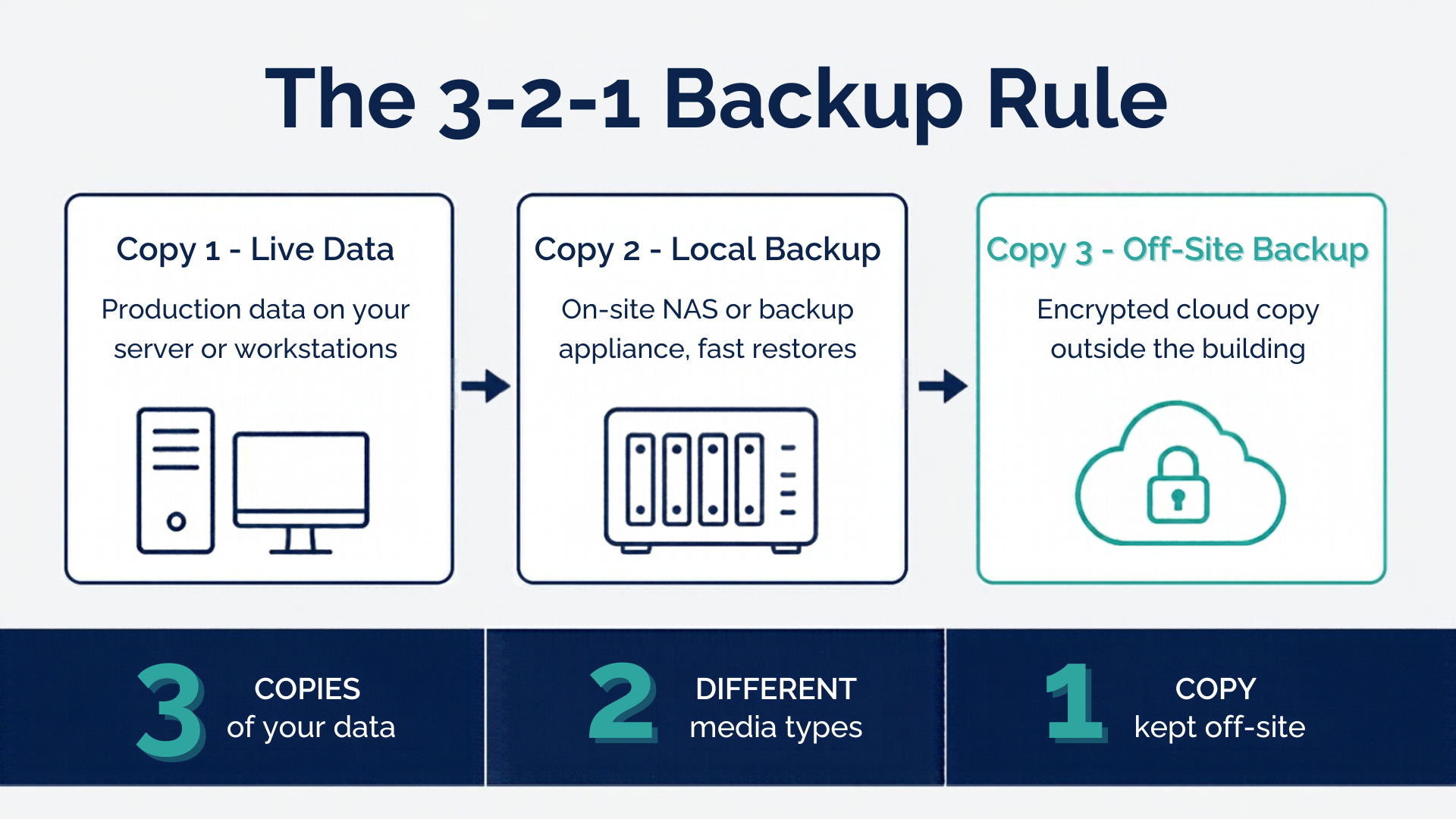
Applying the rule in a business of 10 to 100 people usually means one on-premises backup for speed of restore, one cloud copy for geographic separation, and a clear rule that the two can't be wiped by the same account. The detail matters more than the hardware you buy.
Three Copies of Business Data, Including the Live Version
Your production data counts as copy one, which means you need two backups beyond it. A second copy on the same server, or a folder called "backup" on the same NAS, doesn't count. Automated, scheduled jobs beat anything that depends on somebody remembering, and a managed backup service can run as frequently as every five minutes for systems where losing a day's work would hurt.
Two Different Storage Types That Fail Independently
Two media types means two technologies with different failure modes, typically local disk or NAS paired with cloud object storage. Tape, external drives rotated off-site and immutable cloud storage all qualify. Two drives in the same enclosure do not, because a controller fault, a power surge or a theft takes both.
One Backup Copy Kept Off-Site
The off-site copy is the one that survives the building, so it needs to be in a different physical location or a cloud region, not in the boot of a car in the same car park. Cloud backup is the practical route for most SMEs. Check where the data is actually hosted, how it's encrypted, and how long a full restore would realistically take over your broadband connection.
Does Microsoft 365 Count as One of Your Backup Copies?
Microsoft 365 is not a backup on its own. It's a sync and collaboration platform, and Microsoft operates a shared responsibility model where it keeps the service available while you remain responsible for your own data. Deletions, malicious changes and encrypted files replicate to every synced device, by design.
Native retention and recycle bins help with a file deleted last Tuesday. They won't help with a mailbox purged by a compromised account, or a SharePoint library encrypted three months ago, because those protections are time-bound and recoverable only within fixed windows.
Treating Microsoft 365 Business as your off-site copy leaves you with one copy under one tenant and one credential set, which fails the rule on all three numbers.
How the 3-2-1-1-0 Rule Hardens Backups Against Ransomware
The 3-2-1-1-0 rule keeps the original three numbers and adds two more. The extra 1 is one copy kept offline, air-gapped or immutable, and the 0 means zero errors after a verified restore test. Both additions exist because attackers now go after backups first.
Modern ransomware spends time on a network before it encrypts anything, hunting for backup consoles, deleting shadow copies and corrupting repositories. An immutable copy can't be altered or deleted inside its retention window, even by an administrator account. That single property is what separates a business that restores in a day from one that negotiates.
On the technical side, keeping backup credentials separate from your domain admin accounts is the control most small networks are missing, and it costs nothing to put right.
What Irish Data Protection Law Expects from Business Backups
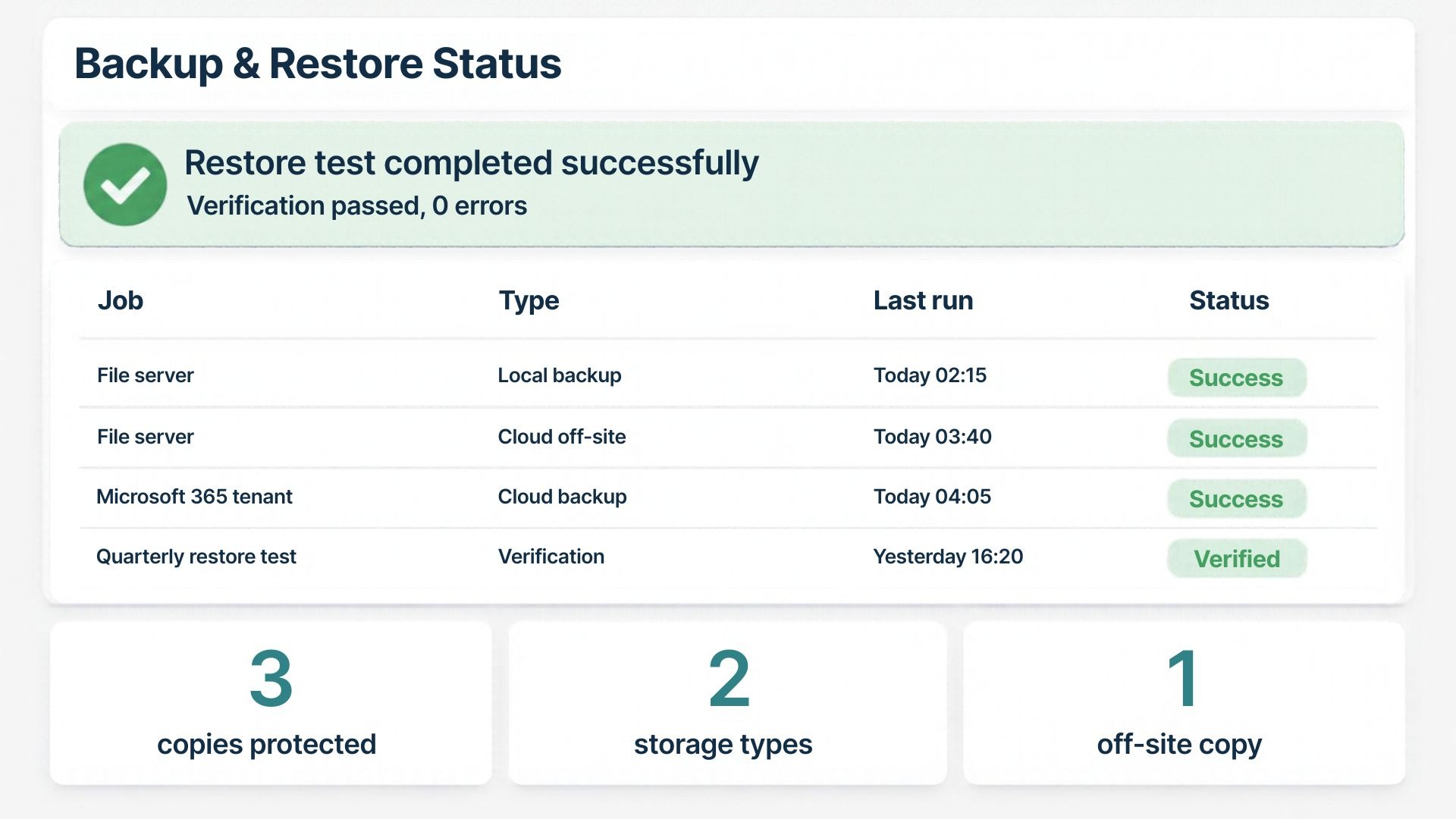
If you hold personal data on staff, customers or patients, backup stops being optional. Article 32 of the GDPR requires the ability to restore the availability of and access to personal data in a timely manner after a physical or technical incident, and to test the effectiveness of those measures regularly.
The Data Protection Commission's data security guidance also makes a point worth repeating, that the security standards applying to backup data are the same as those applying to live data. An unencrypted backup drive in a reception cupboard is a data protection issue, not just an IT one.
In practice, that means three things for an Irish SME.
- Encrypt backups at rest and in transit, including anything portable.
- Keep a record of restore tests, since an untested backup is an untested control.
- Apply your retention policy to backups too, rather than keeping everything forever by default.
How to Audit Your Current Backup Setup Against the Rule
Run through these questions and you'll know within an hour whether your business meets the rule or only looks like it does.
Anything from below you can't answer confidently is a gap:
- Can you name all three copies of your data and where each one physically lives?
- Are the two backup copies on genuinely different storage types?
- Is at least one copy outside the building and outside your main network?
- Could one compromised administrator account delete every copy?
- When did somebody last restore a real file, mailbox or server from backup, and how long did it take?
- Are your Microsoft 365 or Google Workspace tenants backed up separately from the platform itself?
- Does anyone receive and actually read the daily backup report?
Question five is the one that catches most businesses out. Plenty of SMEs have backups running for years without a single verified restore, which means they have a backup process rather than a recovery capability.
Where to Start If Your Backups Fall Short
Fixing a weak setup rarely means replacing everything. For most small businesses it means adding one properly separated copy, locking down who can delete backups, and putting a restore test in the calendar every quarter so the evidence exists before anyone asks for it.
If you're not certain which of the three numbers your business is missing, book a free IT audit and you'll get a clear written picture of where your data sits and what would happen if it disappeared tomorrow.
Get an IT Plan Today!