
Most businesses should back up every business-critical system at least once an hour, and everything else at least once a day. The right data backup frequency comes down to a single question. How much work can your team afford to re-enter if a system fails at the worst moment of the week?
That tolerance has a name. It's your recovery point objective, and it's the gap between your last good backup and the moment something breaks. A nightly backup gives you an RPO of up to 24 hours, so a server that dies at 4pm on Friday costs you a full day of invoices, case notes, quotes and emails.
How Often Should Businesses Back Up Their Data?
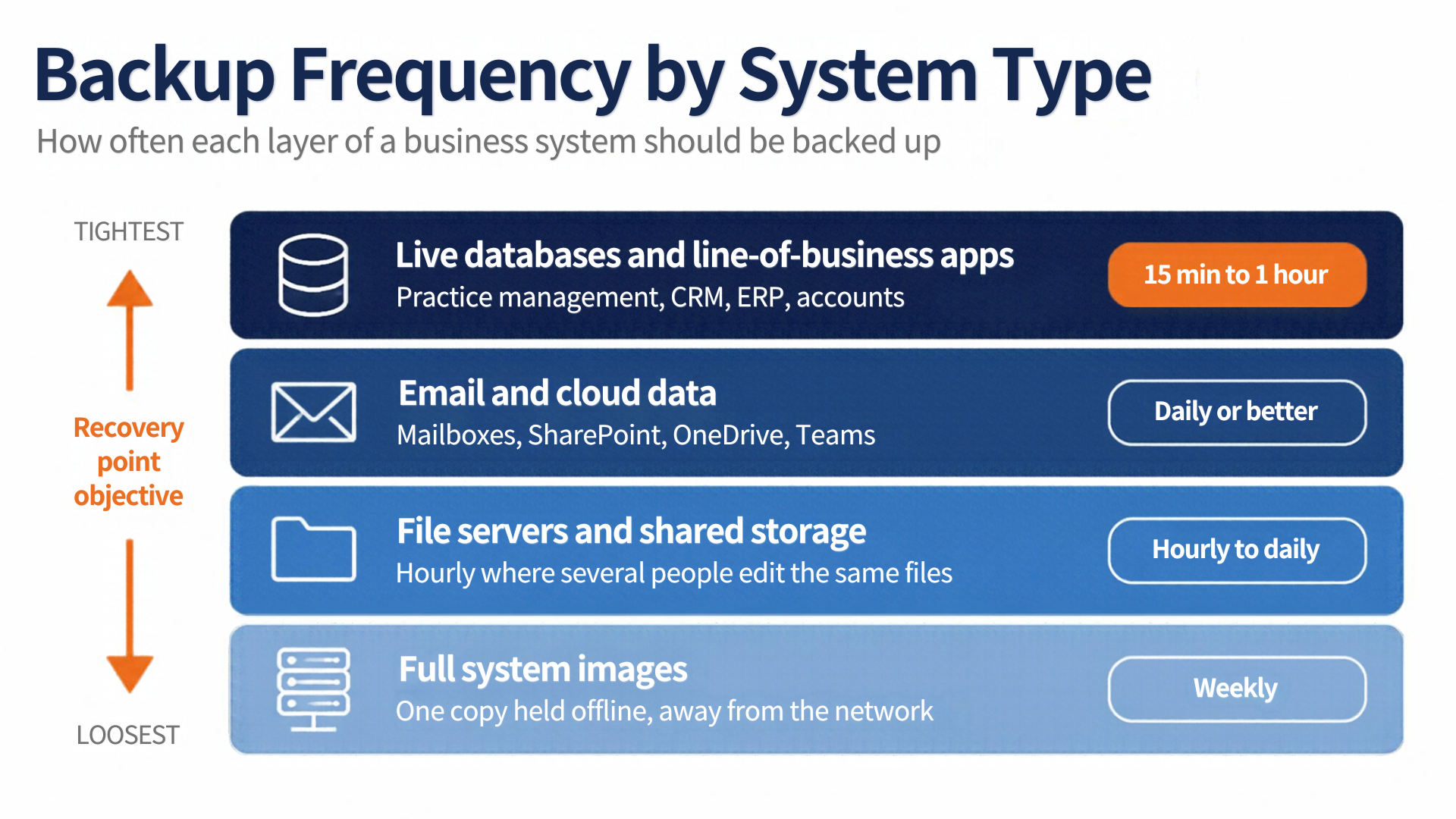
Back up live, multi-user systems every 15 minutes to an hour, and everything else daily as a floor. Weekly backups only make sense for data that genuinely does not change. Here's how that breaks down across a typical SME.
- Live databases and line-of-business apps. Practice management, CRM, ERP and accounts packages need 15-minute to hourly restore points, because every lost record has to be re-keyed from paper or memory.
- Email and Microsoft 365 data. Daily at minimum, and several times a day for mailboxes that carry contracts, approvals or client instructions.
- File servers and shared storage. Hourly where several people edit the same documents, daily where they don't.
- Workstations and laptops. Daily, assuming staff save locally at all. Where they do, that habit is the real risk, not the schedule.
- Full system images. Weekly, with at least one copy held offline so ransomware can't reach it.
A single blanket schedule across all five creates one of two problems. Either you're paying to protect data that never changes, or you're exposing the systems that actually run the business.
Setting Data Backup Frequency With a Recovery Point Objective
Set an RPO per system, then make the backup interval match it. An RPO of one hour means hourly backups. An RPO of 15 minutes means continuous or near-continuous protection. Work it out in three steps.
- List every system and the data it holds. Finance, email, file storage, the specialist application your team lives in, and anything still sitting on a local machine.
- Price an hour of lost work in each one. Staff hours to re-enter data, missed deadlines, and the knock-on effect when nobody can quote or invoice. The real cost of IT downtime usually sits well above what owners expect, which is what justifies the tighter interval.
- Match the interval to the number. Where an hour of lost entries costs more than the protection, shorten the gap. Where it doesn't, leave it daily and spend the budget elsewhere.
This is also what Article 32 of the GDPR expects of you in practice. It requires the ability to restore availability and access to personal data in a timely manner after an incident, which is a restore-speed obligation as much as a backup one.
How Long to Keep Backups and How Often to Test a Restore
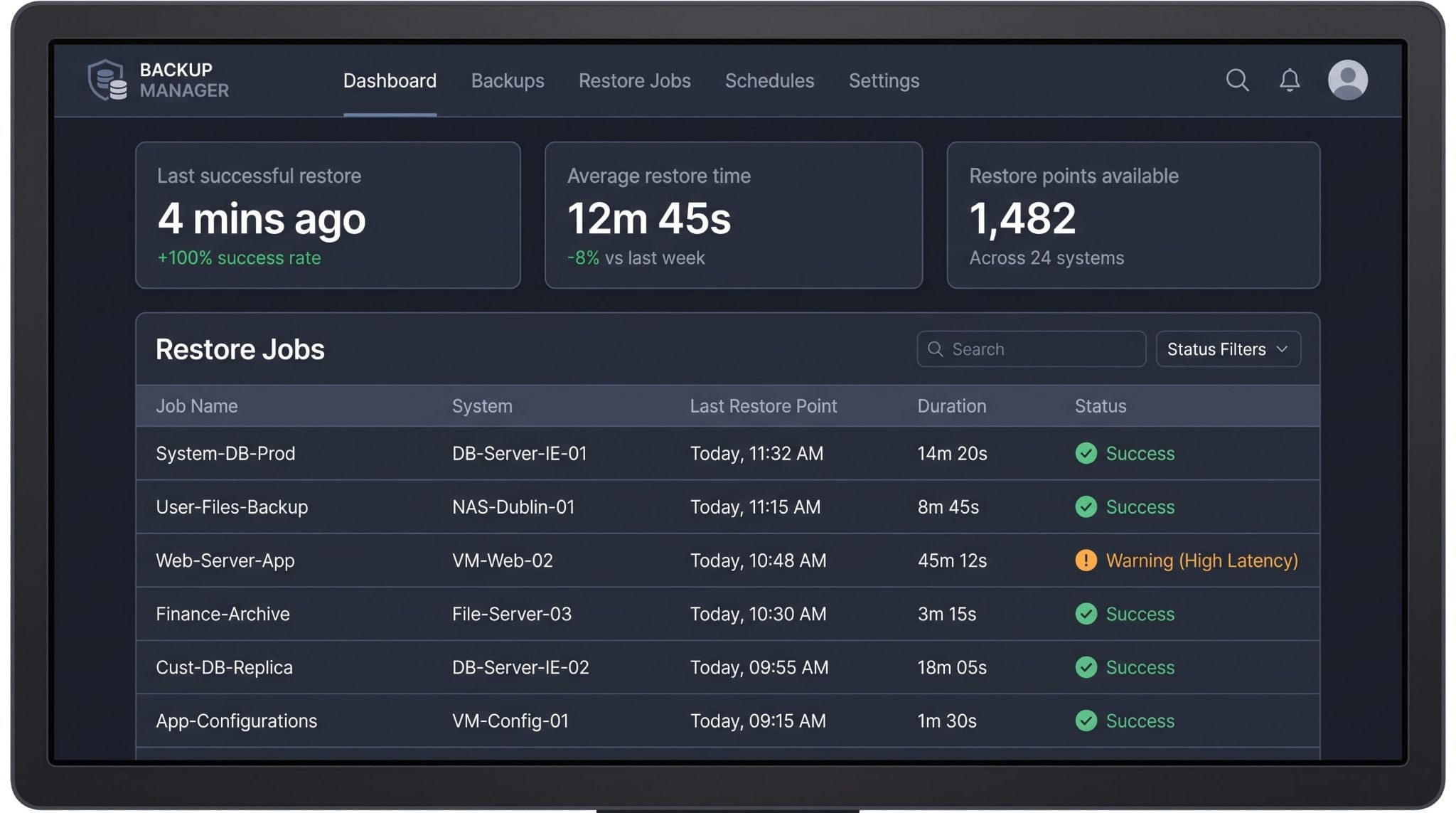
Frequency decides how much data you lose. Retention and restore testing decide whether you get any of it back, and they're the two settings nobody reviews until the week they matter.
How Long Should Business Backups Be Kept?
Keep roughly 30 days of short-interval restore points, 12 monthly copies, and a year-end copy for anything with a statutory retention obligation. Ransomware often sits dormant for weeks before it triggers, so a seven-day retention window can mean every copy you hold is already compromised.
Storage limitation under the GDPR pulls the other way. Personal data shouldn't sit in backups indefinitely, so retention needs a documented reason rather than a default setting.
How Often Should You Test a Backup Restore?
Test a full restore quarterly, and monthly for the systems the business cannot trade without. A file-level test proves almost nothing. What you need to know is how long a complete rebuild takes and whether the restored application actually runs.
Official guidance on mitigating ransomware attacks makes the same point, and adds two steps worth building into the test. Scan backups for malware before restoring, and keep at least one copy disconnected from the network.
Signs Your Backup Schedule Is Too Infrequent
Four patterns show up again and again in SME infrastructure audits, and each one points at an interval that needs tightening.
- Backups run overnight only, while the business enters data all day.
- Nobody can say, without checking, what the last successful restore point was.
- The backup job reports success, but no one has restored from it in over a year.
- Cloud applications are assumed to be covered, with no separate backup of the tenant.
If two or more of those apply, the gap is usually the schedule rather than the software. A properly configured managed backup service can run restore points as often as every five minutes with recovery tested on a fixed cycle, which removes the guesswork from both numbers.
Getting Your Business Backup Schedule Right
Pick your RPO per system first, set the interval to match, then prove the restore works before you need it. Those three decisions do more for continuity than any single piece of backup software.
If you're not sure what your current schedule actually protects, a free IT audit will map every system, its real restore point and the gaps between them, so you know exactly where you stand before something breaks.
Get an IT Plan Today!